


Math Kids: Math Games For Kids
4.51.07K Reviews
App Specs
- Version
- Varies with Device
- Updated On
- License
- Free
- Downloads
- 50,000,000+
- Developer
- RV AppStudios
- Categories
- Educational
- Platform
- Android, iOS
Screenshots
 Analysis by AppCompare
When a young child resists a worksheet but is willing to tap through a game, I find it helps to make the first step small: open Math Kids: Math Games For Kids, choose a basic number activity, and let the child try before stepping in. That is the appeal of this educational game from RV AppStudios. It puts counting, addition, and subtraction into short, approachable play rather than asking a preschooler to sit through a formal lesson. I would treat it as a friendly practice companion, not a replacement for an adult explaining why an answer works.
A useful fit for short practice windows
The game is best suited to preschoolers who are beginning to recognize numbers or getting comfortable with simple sums. A parent can bring it out while waiting for dinner, during a quiet moment at home, or as a brief change of pace after a book. In those situations, the child can make a few attempts without needing a long lesson or a carefully prepared stack of materials. The free price also makes it easy to try as a low-commitment option, while the Everyone age rating reflects its intended broad audience.
There is a practical distinction between using it to introduce an idea and using it to reinforce one. If your child is just learning what “three” means, count familiar objects together first, then use a game activity to revisit the number. If they already understand small quantities, a round of counting or simple arithmetic can give them a chance to respond independently. I find that pairing screen play with something physical—a few toys, snacks, or steps across the room—helps keep the number concept connected to everyday life instead of only to tapping.
What the play loop actually offers
The basic rhythm is easy to understand: a child encounters a counting or arithmetic prompt, makes a choice, sees how the attempt turns out, and gets another chance to play. The bright presentation and simple interaction help make that first action less intimidating than a page full of sums. When a child gets something right, the sense of progress can make another turn appealing. That is a useful nudge for a learner who needs repeated exposure before numbers feel familiar.
Still, a game can encourage persistence without guaranteeing understanding. I would occasionally ask, “How did you work that out?” or invite the child to show the answer with objects. This small pause turns a tap into a chance to hear their reasoning, and it can reveal whether they counted carefully or guessed. It also gives the adult a natural way to help without taking control of the device or turning play into a test.
Where it sits beside other learning options
Compared with paper worksheets, this game is more inviting for a child who needs visual prompts and quick interaction, though a worksheet can be better when you want to see a sequence of written work or practice pencil control. Compared with a broad children’s learning app, its focus on early math is a strength: there is less pressure to switch between unrelated subjects. But that narrow focus also means it is not the right single choice if you want reading, drawing, or general preschool activities in the same session.
I would also choose direct, hands-on play when a child is restless, frustrated by the screen, or still needs help touching and counting real objects. The game can support a routine, but it cannot read a child’s mood or explain a tricky idea as a patient adult can. Keep sessions brief and stop while the child is still comfortable; ending on a calm attempt is usually more useful than pushing for one more round after attention has faded.
Worth Reading Before You Choose

Flipboard Shows What News Apps Must Do Beyond the Feed

Switching to Android Auto Means Rethinking Your Driving Routine

Google Calendar Makes a Crowded Week Easier to Manage

Ludo King Makes the Most of the Minutes Between Plans

Baby Panda World Brings Quick Play to Modern Phones, but Its Game Library Feels Busy

ESPN’s Live Game View Makes Following Close Games Easier
A parent’s small coaching routine
One realistic routine is to use the game for a few minutes while a meal is being prepared. Let the child make the first choice without prompting, then sit nearby and ask them to count aloud if they seem unsure. After a correct answer, connect it to the room: if the activity involved a number, find that many forks or blocks together. If they miss an answer, avoid turning the moment into correction after correction; count the items with them and let them return to the next prompt when ready.
This approach also helps answer a common practical question: does a child need an adult beside them every time? The interface is described as straightforward, so a child who is already comfortable with a phone or tablet may be able to start independently. For a preschooler, though, I would still be close at first—not because every move needs supervision, but because a short conversation can make the practice more meaningful and help with device boundaries. Once the child knows the routine, you can decide whether independent play works for your household.
What to expect from its limits
Math practice here is centered on early counting and basic addition and subtraction. That makes it approachable, but it also gives the game a natural ceiling: a child who is ready for more complex concepts will need a different resource or an adult-led challenge. Likewise, children who learn best by moving pieces around may get more from physical counters, while those who dislike repeated prompts may prefer a story-based activity with numbers woven into it. The best choice depends less on which format sounds most educational and more on what keeps a particular child engaged without frustration.
Parents should also set expectations around the idea of “progress.” Completing activities can make practice feel rewarding, but the useful measure is whether the child is becoming more comfortable recognizing quantities and explaining simple answers away from the screen. I would not use a streak, a finished round, or enthusiasm alone as proof that a skill has stuck. A quick follow-up with toys or everyday objects is a more grounded way to see what the child understood.
For families comparing options, the game has a strong case as a focused, easy-to-start supplement rather than a complete early-learning plan. It has been available since Aug 22, 2017, and its broad reach—over 50 million installs alongside a 4.5 average from around 68,000 ratings—suggests that many families have tried it. Those figures are useful context, not a guarantee that every child will enjoy the same style of practice. I would judge it by whether your child returns willingly and can carry a little of the number work into ordinary play.
What’s the Buzz About?
So, what makes Math Kids: Math Games For Kids stand out? It's all about interactive learning. The app is designed to teach the basics of math through games that are easy to grasp but challenging enough to keep the kids coming back for more. Imagine your child eagerly solving puzzles and equations, all while having a blast. That’s the magic of this app.
Feature Galore
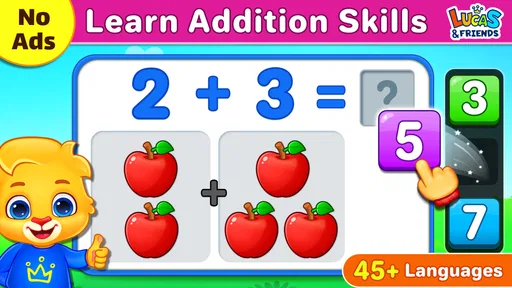
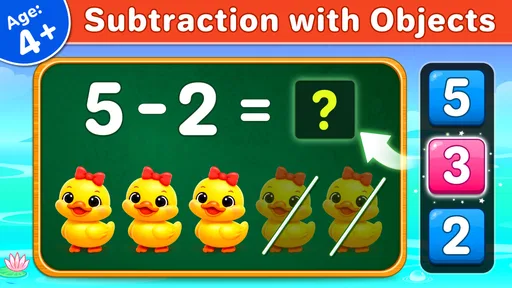
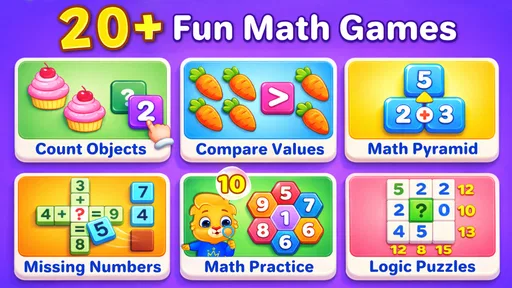
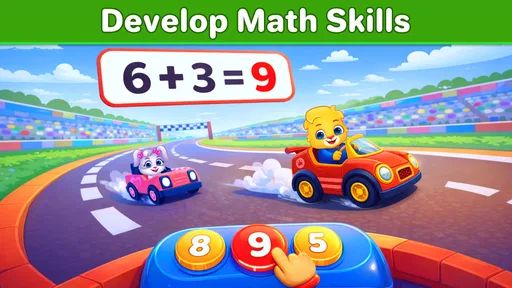
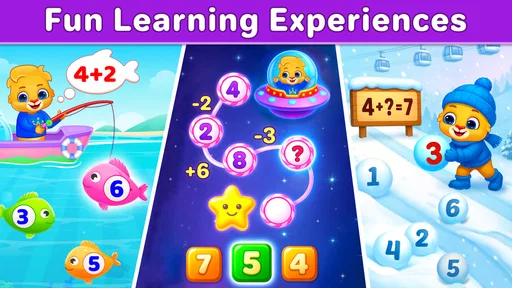
One of the coolest things about this app is its variety of games. From addition and subtraction to essential counting skills, it covers all the bases. The app uses bright, colorful graphics that are super appealing to kids. Each game is crafted to cater to different learning styles, so whether your child is a visual learner or prefers hands-on activities, there’s something for everyone.
- Multiple Game Modes: The app offers various game modes, from simple counting games to more advanced subtraction and addition challenges.
- Interactive Puzzles: Kids solve puzzles that not only enhance their math skills but also improve their problem-solving abilities.
- Rewards and Achievements: As your child progresses, they earn rewards that motivate them to keep playing and learning.
A User-Friendly Experience
Let’s talk about the user experience. The interface is straightforward, making it easy for kids to navigate without much help. The design is intuitive, ensuring that even the youngest users can jump right in. Plus, there’s no complicated setup or need for parental guidance once the app is installed. Just hand over the device and let them explore!
Why Kids Love It
Now, you might be wondering, "Do kids really enjoy math games?" The answer is a resounding yes. The app turns learning into a game, quite literally. Kids love the sense of achievement they get when they solve a puzzle or complete a level. It’s gamification at its finest, where education meets entertainment seamlessly.
Parental Peace of Mind
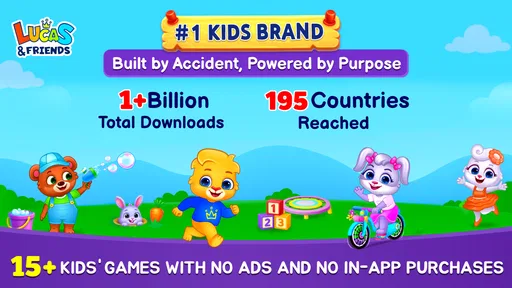
For parents, it’s not just about keeping the kids occupied—it’s about quality content. This app provides a safe environment with no ads or in-app purchases to worry about. Your child can focus purely on learning without distractions, and you can relax knowing they’re engaging with something educational.
Final Thoughts
All in all, Math Kids: Math Games For Kids is a fantastic tool for any parent or teacher looking to make math engaging and fun. It’s not just an app; it’s a learning adventure. Whether your child is a math whiz or just getting started, this app offers a wealth of benefits that can set them on the path to success. So why not give it a try? You might just find it’s the perfect addition to your educational toolkit.
Pros
- Engaging and colorful interface.
- Multiple difficulty levels available.
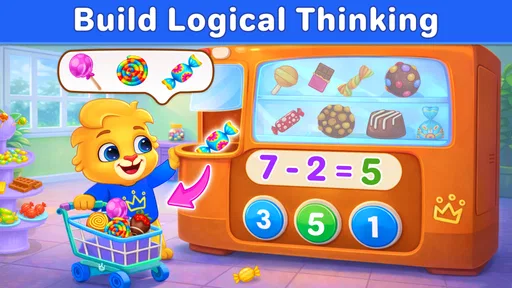
- Encourages logical thinking skills.
- No in-app purchases
- safe for kids.
- Supports early math learning stages.
Cons
- Limited to basic math concepts.
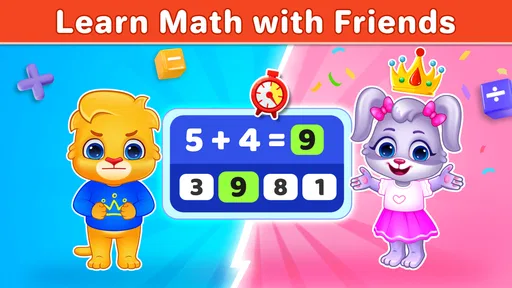
- No multiplayer or social features.
- Repetitive tasks may bore older kids.
- Lack of advanced math challenges.
- Requires constant internet connection.
FAQs for Math Kids: Math Games For Kids
What age group is Math Kids: Math Games For Kids suitable for?
Math Kids is designed primarily for children aged 3 to 8 years old. The app offers a range of activities that cater to different skill levels, making it ideal for preschoolers, kindergarteners, and early elementary students. Its colorful interface and engaging mini-games help to capture young learners' attention while teaching fundamental math concepts.
Are there any in-app purchases or ads in Math Kids?
Math Kids: Math Games For Kids is free to download and play. The app is designed with a family-friendly focus, meaning there are no in-app purchases or ads that could distract or mislead young users. This makes it a safe choice for parents who want a worry-free educational experience for their children.
What math skills does Math Kids help develop?
Math Kids focuses on building foundational math skills such as number recognition, counting, addition, subtraction, and basic problem-solving. Through various interactive games and puzzles, children can improve their understanding of these concepts in a fun and engaging way, helping to reinforce what they learn in school.
Is Math Kids available on both Android and iOS?
Yes, Math Kids: Math Games For Kids is available for download on both Android and iOS platforms. This accessibility ensures that users with different types of devices can enjoy the app's educational content, making it a versatile tool for parents and educators alike.
Can Math Kids be used without an internet connection?
Math Kids can be used offline, which is perfect for situations where internet access may be limited or unavailable. This feature allows children to continue learning and playing the math games without interruption, whether at home, on a road trip, or anywhere else.


